


Weather Forecast
4.6240.00 Reviews
App Specs
- Version
- 2.4
- Updated On
- License
- Free
- Downloads
- 5,000,000+
- Developer
- Coolexp
- Categories
- Weather
- Platform
- Android
Screenshots
 Analysis by AppCompare
I usually open a weather app with one practical question: what should I change about my plans today? A forecast is useful only when it helps me decide whether to walk, drive, carry a coat, or move an outdoor errand. Weather Forecast from Coolexp aims to make that check quick, while adding a radar view for looking beyond a single temperature reading. My experience is that it works best as a convenient planning companion, rather than a tool I would rely on alone for every high-stakes weather decision.
Start with the decision, not the forecast
The first useful habit is to open the app with a specific plan in mind. If I am choosing between leaving now and waiting an hour, the hourly forecast is more relevant than the weekly outlook. If I am deciding whether to schedule a weekend activity, the broader forecast gives me a starting point, but I would still check it again closer to the day because weather can shift.
That distinction matters because a weather screen can show plenty of information without making the decision for you. Temperature, humidity, wind, and precipitation each affect comfort differently. A mild temperature can still feel unpleasant on a windy walk, for example, while a chance of rain matters more if I will be outside for a long stretch than if I am only crossing town.
A quick setup, with a location trade-off
First things first, downloading and setting up Weather Forecast was a breeze. Available on Android, you can find it as a free weather app from Coolexp. It is rated for Everyone, and the current version is 2.4. Once installed, the app asks for location permissions to give you local weather updates. It’s quite straightforward, and within seconds, you’re up and running.
Location access is convenient when you want the forecast for wherever you are, but it is worth thinking about how you prefer to use a weather app. If you mainly check the weather at home, a saved or manually selected place may suit your routine better than relying on location all the time. If you commute or travel around, current-location access can cut down on repeated searches. I would choose the least intrusive setup that still gives me the information I actually need.
The app is free to install, with in-app purchases listed at $2.99 per item. That makes it easy to try the basic experience before deciding whether any optional purchase is worthwhile. I would treat the free version as the test: use it through ordinary mornings and a few changing-weather days, then decide whether the way it presents forecasts fits your habits.
Following a forecast from screen to plan
I use a forecast most effectively when I let it guide a small decision rather than expecting it to settle every uncertainty. In this section, I follow the practical handoff from checking conditions to adjusting a plan, including when a quick glance is enough and when I would pause to look for more context. That distinction matters most when the day’s schedule is flexible but the weather is not.
Worth Reading Before You Choose

Flipboard Shows What News Apps Must Do Beyond the Feed

Switching to Android Auto Means Rethinking Your Driving Routine

Google Calendar Makes a Crowded Week Easier to Manage

Ludo King Makes the Most of the Minutes Between Plans

Baby Panda World Brings Quick Play to Modern Phones, but Its Game Library Feels Busy

ESPN’s Live Game View Makes Following Close Games Easier
Read the overview, then narrow the timing
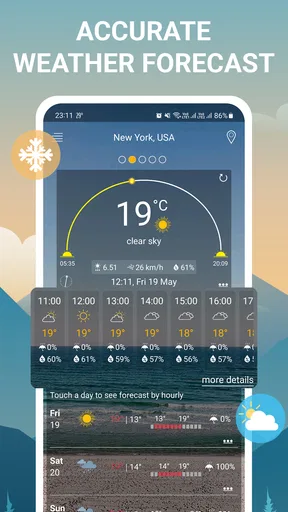
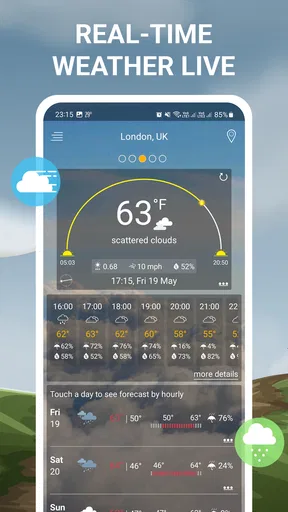
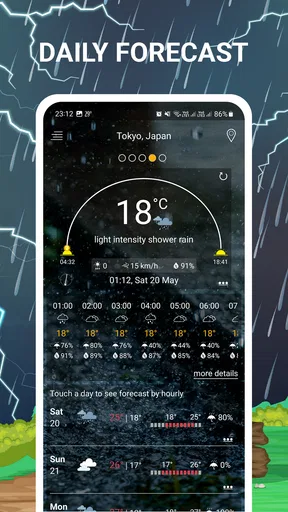
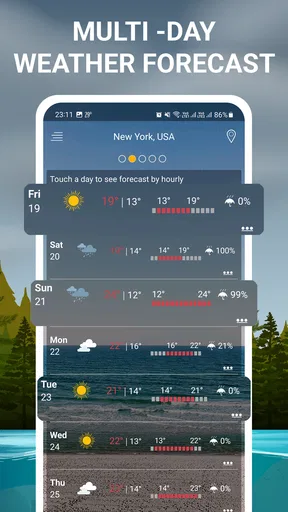
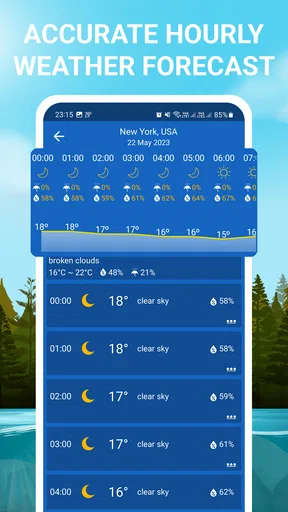
The interface is clean and user-friendly, which is a bonus if you’re not into overly complicated apps. The main screen displays the current weather conditions, including temperature, humidity, and wind speed. One of my favorite things is the hourly and weekly forecasts—super helpful for planning your day or week.
I find it sensible to use those time ranges in sequence. I start with the current conditions to understand what it feels like outside, scan the hourly view for the part of the day that matters, and use the weekly forecast only to spot broad patterns. That keeps a distant prediction in perspective instead of treating it as a promise. If the exact timing of a shower would change my plans, I check again before heading out rather than making the call from a forecast I saw hours earlier.
A realistic example is a morning commute followed by an outdoor lunch. I would check the current conditions before leaving, then look at the hourly forecast around lunchtime. If rain appears likely during that window, I can pack a compact umbrella or suggest eating indoors. The useful outcome is not perfect certainty; it is having enough notice to make a low-cost adjustment.
Use radar as a second view, not a guarantee
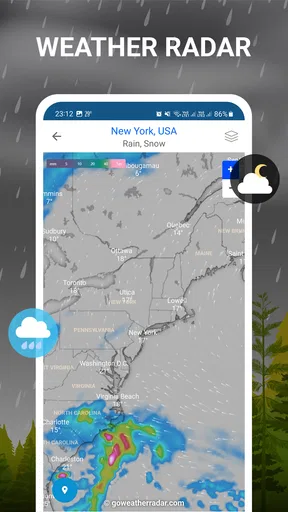
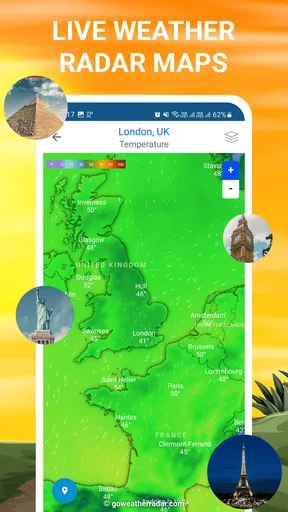
Another cool feature is the radar map. It’s interactive and allows you to see live weather patterns. Whether you’re tracking an incoming storm or just curious about the clouds overhead, this feature is surprisingly fun and informative.
Radar is most valuable when the question is about movement: does a band of precipitation appear to be approaching, or does it seem to be moving away? I use it to add context to the forecast, not to calculate an exact arrival time. Local conditions can change quickly, and a map is still an interpretation of weather rather than a personal observation from every street. For a walk, that extra visual check can help me decide whether to leave now or wait; for a serious warning, I would give official alerts priority.
There is also a practical screen-size trade-off. A radar map gives more context than a single icon, but it asks for more attention. If I only need to know whether to bring a jacket, the main forecast is faster. If I am planning a longer outdoor trip, the map may be worth the extra look. Switching between those two levels of detail is a better use of the app than leaving the radar open out of habit.
Make alerts fit the way you live
Now, what’s a good app without some personalization, right? Weather Forecast lets you customize notifications. Want a heads-up when it’s going to rain? You got it. Prefer a daily summary in the morning? Also possible. These tailored alerts ensure that you’re never caught off guard by unexpected weather changes.
I would start with only the alerts that can change a decision. A rain notification is useful if I regularly walk, cycle, or hang laundry outside; a morning summary is handy if I plan the day before leaving home. Too many notifications can make a weather app easy to ignore, so I would avoid enabling every option just because it is available. A few relevant prompts are more useful than a phone that keeps interrupting without changing what I do.
Plus, there’s a neat widget option. If you love having quick access to your weather info without opening the app, adding a widget to your home screen is a must. It’s sleek and doesn’t clutter your phone’s aesthetics.
A widget is particularly helpful when checking the forecast is already part of a routine, such as looking at the phone before getting dressed. It reduces the steps between noticing the weather and making a choice. The trade-off is that a glance at a widget may not answer a detailed timing question, so I would still open the app when I need to compare hours or inspect radar. Used that way, the widget is a shortcut, not a replacement for the full forecast.
Where the information comes up against real life
Using the app is pretty intuitive. The navigation is smooth, and I didn’t experience any lag or crashes, which can be a real downer with some other apps. The ads are minimal, so they don’t really interfere with the experience, which is a huge plus in my book.
Weather Forecast has a community aspect where users can report local weather conditions. This feature gives a more human touch to the forecasts and can be especially useful if you live in an area with microclimates.
Local reports can be a useful handoff between a broad forecast and what someone is encountering nearby. I would treat them as extra context, not a substitute for the forecast: a report reflects a particular place and moment, while conditions a short distance away may differ. If the report and the forecast do not line up, that is a reason to check the radar and use judgment, rather than assuming either view must be wrong.
That workflow is most useful for everyday choices: whether to take a different route around a wet stretch, move a short outdoor task, or carry an extra layer. It is less suitable as the only source for safety-critical decisions. When severe weather is possible, I would look for authoritative local warnings and follow the guidance that applies to my area instead of relying on an app’s general forecast alone.
What “accurate enough” means for planning
Let’s talk about accuracy because, after all, that’s what we’re here for. I found the predictions to be pretty spot-on. Of course, no app is perfect, but Weather Forecast does a commendable job. The data seems to be updated frequently, ensuring you’re always looking at the latest info.
For routine planning, I judge usefulness by whether the forecast gives me a sensible heads-up, not whether every detail matches what happens outside my door. Broad conditions can help with clothing and errands; fine timing is harder to depend on, especially when a small change would disrupt an important plan. When the consequences matter, I check again nearer the time and compare the forecast with what the sky and radar are showing.
Another noteworthy aspect is how the app handles severe weather alerts. These notifications are timely and could be crucial in staying safe during extreme weather conditions. It’s like having a mini meteorologist in your pocket.
I still would not make one phone notification my entire safety plan. Keeping alerts enabled can help me notice a developing situation, but a warning should lead to an action: checking local instructions, changing travel plans, or moving to a safer place as appropriate. This is a sensible boundary for any general weather app, and it keeps the convenience of a quick alert from becoming false confidence.
Who will get the most from it
Weather Forecast is a good fit if you want a straightforward daily check with more context than a single temperature tile. The combination of an overview, hourly and weekly forecasts, radar, notifications, a widget, and community reports gives different kinds of users a few ways to approach the same question. Someone who commutes, plans walks, or often decides whether to move an outdoor chore may find that mix especially practical.
It may be less appealing if you want a highly technical meteorology workspace, detailed controls for comparing many forecast models, or a minimalist screen with no extra layers. The app’s strength is accessibility and a set of familiar planning tools, not a promise that every user will want to inspect every feature. If you already rely on a specialist service for detailed storm analysis, this is more likely to serve as a convenient everyday companion than a replacement.
Compared with the standard weather app that comes with a phone, the clearest reason to try this one is the combination of radar and customizable ways to check conditions. A built-in app may be enough if you only glance at today’s temperature. Weather Forecast makes more sense when you want to move from a quick overview to an hourly check or a visual look at approaching weather without turning the task into a technical exercise.
Things I would keep in mind
While the app is fantastic, there’s always room for improvement. A couple of additional themes or color schemes would make it even more personalized. Also, integrating a social sharing feature could be fun, allowing users to share weather updates with friends directly from the app.
There is also a broader limitation to any forecast-first workflow: a neat interface cannot remove uncertainty from the weather itself. I would avoid treating a weekly outlook as a fixed schedule, and I would not assume that a community report describes conditions everywhere nearby. Those are not reasons to dismiss the app; they are reminders to use each view for the question it answers best.
For someone deciding whether it is worth trying, the scale of its audience is a reassuring sign of broad interest: it has a 4.6 average from around 50,000 ratings and more than 5 million installs. Those figures do not tell me whether it will suit a particular routine, so I would still judge it by the usefulness of its local forecast, the comfort of its alerts, and whether radar adds value to the way I plan.
A practical choice for everyday weather checks
All in all, Weather Forecast is a solid app for anyone looking to stay informed about the weather. Its combination of accuracy, ease of use, and customization options makes it stand out in a crowded market. Whether you’re planning a weekend getaway or just figuring out what to wear today, this app has got you covered.
So, if you haven’t checked it out yet, give it a whirl. You might find it becomes one of your daily go-to apps. And remember, whether it’s rain or shine, being prepared is always a good idea!
Pros
- Accurate real-time updates.
- Beautiful and intuitive interface.
- Customizable weather alerts.
- Detailed weekly forecasts.
- Radar and satellite imagery.
Cons
- Ads can be intrusive.
- Limited features on free version.
- Occasional data refresh delays.
- Requires internet for full use.
- Battery usage can be high.
FAQs for Weather Forecast
What features does the Weather Forecast app offer?
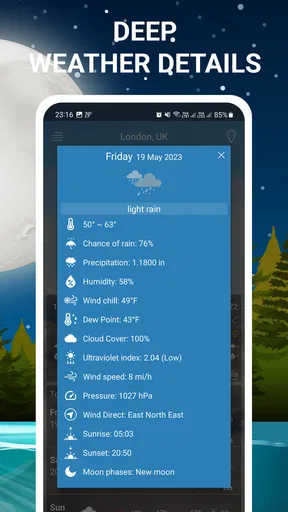
The Weather Forecast app provides real-time updates on current conditions, detailed weekly forecasts, and severe weather alerts. It includes radar maps, hourly predictions, and customizable notifications. Users can also access UV index reports and sunrise/sunset times, making it a comprehensive tool for staying informed about the weather.
Is the Weather Forecast app available for both Android and iOS?
Yes, the Weather Forecast app is available for download on both Android and iOS devices. It can be found on the Google Play Store for Android users and the Apple App Store for those using iOS devices. The app is designed to function smoothly on a variety of smartphones and tablets.
Does the Weather Forecast app require an internet connection?
An internet connection is required for the Weather Forecast app to fetch the latest updates and provide accurate, real-time weather information. While some features may be accessible offline, such as previously downloaded maps or saved locations, live updates and alerts necessitate connectivity.
Are there any in-app purchases or ads in the Weather Forecast app?
The Weather Forecast app is free to download, but it does contain ads. Users have the option to purchase a premium version, which removes ads and may offer additional features such as advanced radar options and more detailed forecasts. This helps support the app's development and maintenance.
How accurate are the weather predictions provided by the app?
The Weather Forecast app uses data from reputable meteorological organizations and advanced algorithms to provide accurate and up-to-date weather predictions. While no forecast can be 100% perfect, the app strives to offer reliable information by updating regularly and incorporating user feedback to improve its accuracy.


